About Project Management Software
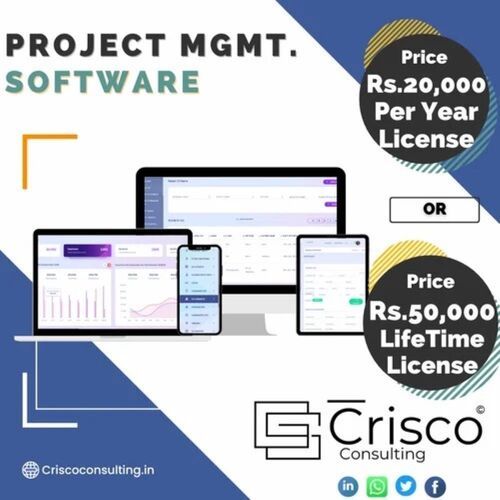
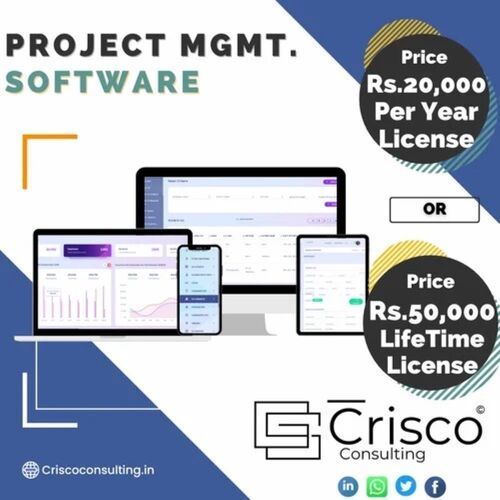
The Project Management Software is a type of software that is designed to help individuals and teams plan, organize, track, and manage their projects. It can be used for a wide range of projects, from small personal tasks to complex enterprise-level projects. This can provide a central hub for all project-related information, making it easier for team members to collaborate, stay organized, and complete tasks on time. There are many different project management software options available, ranging from simple to complex, and from free to pay. Project Management Software provide reports on progress, budget, and other metrics to help managers make informed decisions and keep stakeholders informed.
| License Duration |
Lifetime |
| Operating System |
all |
| Type |
Online/Cloud-based |
| Also Provides |
School Management Software |
| Mobile App |
For Android, For iOS |
| Support |
24/7 (Live Rep) |
| Training |
Documentation, Live Online |
| Provide Installation Service |
Yes |
| Free Required RAM |
< 1 GB |
| Programming Language |
python |
| Brand |
crisco |
| Country of Origin |
Made in India |
Effortless Integration and AutomationSeamlessly connect with industry-standard tools such as Slack, Jira, and Trello using our comprehensive APIs. Automate workflows and customize your project dashboards to suit your organization's unique needs. Streamlined integration ensures you can synchronize data, receive updates, and manage projects efficiently without disrupting your existing processes.
Advanced Collaboration and AccessibilityStay connected with your team through real-time chat, file sharing, and in-task comments-whether you're at your desk or on the go. With mobile access on iOS and Android, your entire team can collaborate, provide updates, and access project files anytime, anywhere, enhancing productivity and responsiveness.
Security and Compliance at the ForefrontProtect your data with robust encryption and role-based access controls. Automated cloud backups safeguard your work, while compliance with GDPR and ISO 27001 standards ensures your information is managed in line with international best practices. Experience peace of mind with enterprise-grade security features.
FAQ's of Project Management Software:
Q: How can I deploy the project management software for my organization?
A: You can choose between cloud-based or on-premises deployment based on your business requirements. Both options support automatic online updates, ensuring you always have the latest features and security patches.
Q: What integration options does the software provide with third-party tools?
A: Our software offers robust API integrations with popular platforms such as Slack, Jira, and Trello, allowing you to seamlessly synchronize communication, task management, and collaboration across your existing toolset.
Q: When are project data backups performed, and how are they secured?
A: Data backups are performed automatically in the cloud, providing regular and reliable protection for your crucial project information. All data is encrypted both in transit and at rest to ensure maximum security.
Q: Where can my team access the software, and what devices are supported?
A: The platform is web-based and compatible with Windows, Mac, and Linux systems. Team members can also access the software via dedicated iOS and Android mobile apps, making it easy to collaborate from anywhere.
Q: What is the process for customizing workflows and dashboards?
A: You can easily tailor project dashboards, user permissions, and automated workflows through the intuitive settings panel. Customization options support a variety of project management needs, from simple tracking to complex resource allocation.
Q: How does the software enhance team collaboration and project reporting?
A: Real-time chat, file sharing, and task comments enable seamless communication, while advanced analytics, Gantt charts, and resource tracking tools deliver detailed project insights and progress reports for informed decision-making.
Q: What are the system requirements and support options available?
A: A minimum of 2GB RAM and a modern browser are required. Our software supports unlimited users on a subscription basis, offers multi-language options, and provides online and phone support from our India-based service team.







 Send Inquiry


 Send Inquiry
 English
 Spanish
 French
 German
 Italian
 Chinese (Simplified)
 Japanese
 Korean
 Arabic
 Portuguese